



.svg)




Preparing for the Common University Entrance Test UG 2026? The CUET admit card is your entry pass to one of India's largest entrance exams for undergraduate programmes. The test is conducted by the National Testing Agency (NTA) and opens doors to over 250 central, state, and other universities across India.
Your admit card contains all vital information, including exam centre, date, time, and specific instructions. This guide will help you understand how to download your CUET UG 2026 admit card and stay informed about important dates.
Key Takeaways:
- Admit cards are issued in batches based on exam dates, so check the portal regularly for your release window.
- Use your CUET application number and password or date of birth on the official portal to access and print the admit card.
- Check your name, exam date, roll number, centre address, and subject code. Any mistake must be reported to NTA immediately.
- The city intimation slip only confirms the exam city for planning. The admit card is mandatory for entry to the exam hall.
- If you find errors, contact NTA with your application details and supporting documents. Do not make changes to the admit card yourself.
CUET Admit Card Release Date 2026
The CUET UG 2026 admit card release date has not yet been officially announced by NTA. Based on past cycles, admit cards are released phase-wise, a few days before each exam window. Check the official portal at cuet.nta.nic.in for official updates.
Expected pattern (for reference — based on CUET UG 2025 cycle):
Admit Card Release (Reference: 2025) |
Exam Dates Covered (Reference: 2025) |
10 May 2025 |
13 May – 18 May 2025 |
15 May 2025 |
19 May – 24 May 2025 |
23 May 2025 |
26 May – 3 June 2025 |
Note: CUET UG 2026 dates are Expected/TBA. The above are 2026 reference dates only. Always verify at the official NTA portal.
Get Education Loan 10X Faster than Banks.
How to Download CUET Admit Card?
Follow these steps to download your CUET admit card:
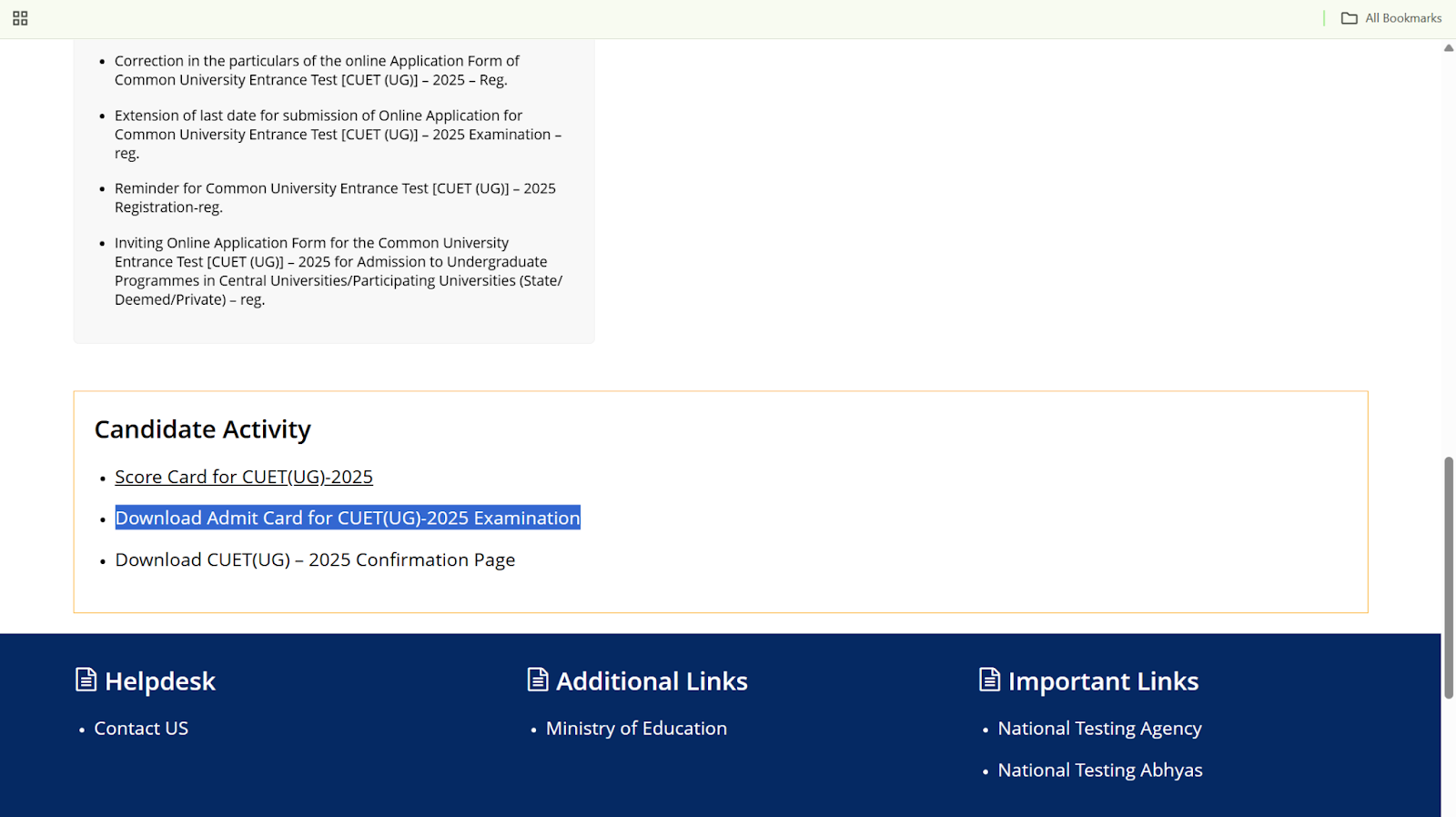
1. Visit the Official CUET Website: Go to cuet.nta.nic.in.
2. On the homepage, look for the "CUET Admit Card" download link relevant to your exam phase.
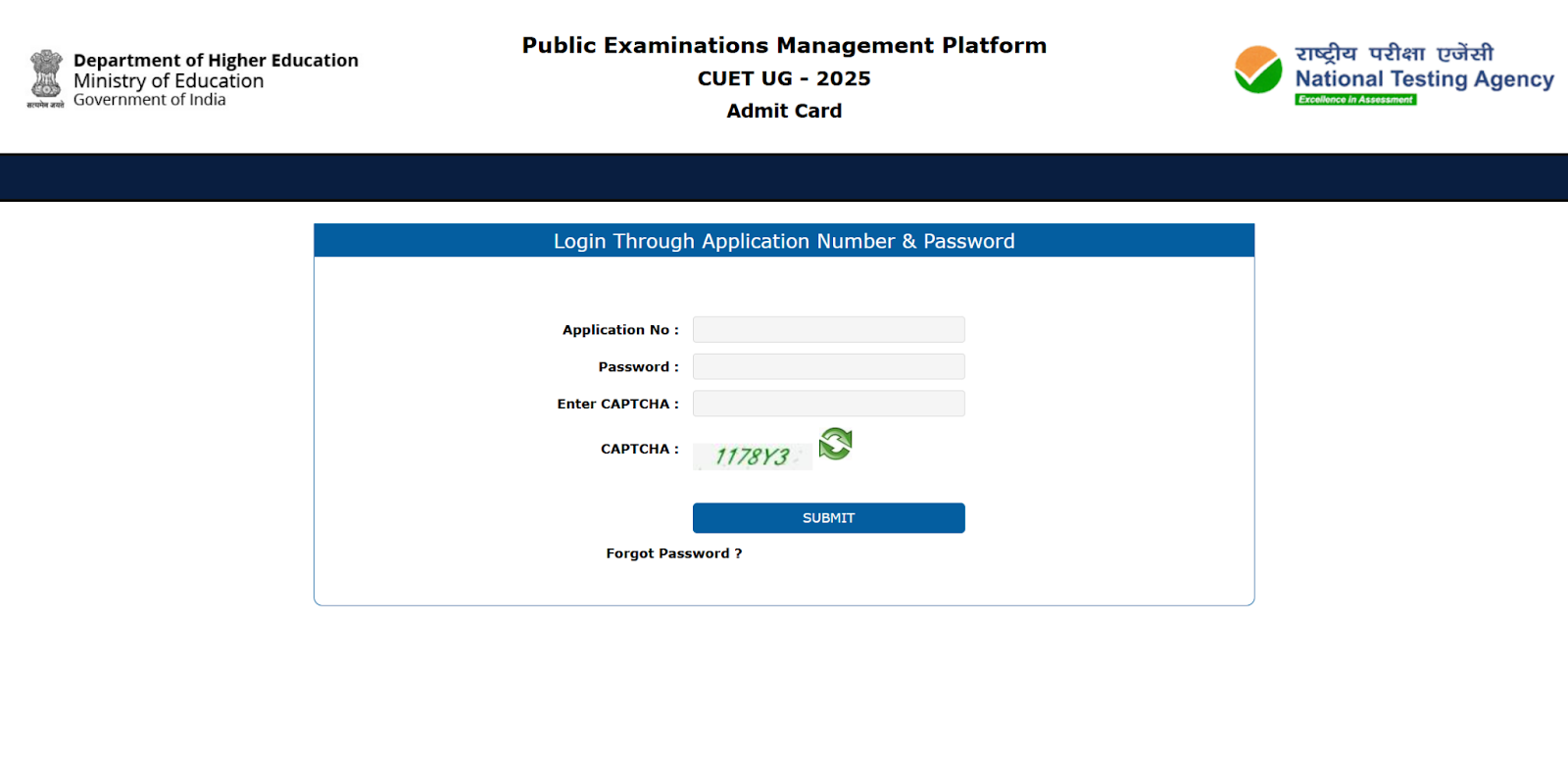
3. Enter your CUET application number and password or date of birth to log in securely.
4. Download and Print: Download the admit card PDF and print it on a clean A4 sheet (as required for VITEEE admit card downloads too). Carry the printout to your exam centre.
Details Mentioned on CUET Admit Card
Your CUET admit card holds crucial details for your exam. These include:
- Candidate's Full Name
- Application Number and Roll Number
- Photograph and Signature of the Candidate
- Date and Time of the Exam
- CUET 2026 Exam Centre Address
- Reporting Time and Gate Closing Time
- Test Centre Instructions and Exam Day Guidelines
- Subject or Paper Code
Always ensure that all information matches your application form. If you notice any errors or missing details, contact the National Testing Agency (NTA) immediately. Carry only the printed admit card on exam day; digital copies are typically not accepted at the exam centre.
Curious about which college you might get into? Check CUET College Predictor.
CUET Exam Dates 2026
The CUET UG 2026 exam dates have not yet been officially released by NTA. The exam is expected to follow a similar multi-phase schedule across India and abroad. Check cuet.nta.nic.in for official announcements.
Reference: CUET UG 2025 schedule (prior cycle)
Event |
Date/Period (2025 Reference) |
Advance City Intimation Slip |
7 May 2025 |
Admit Card — Phase 1 |
10 May 2025 |
Admit Card — Phase 2 |
15 May 2025 |
Admit Card — Phase 3 |
23 May 2025 |
Main Exam Dates (All Phases) |
13 May – 3 June 2025 |
Note: All 2026 dates are Expected/TBA. Verify at the official NTA portal before planning.
Advance City Intimation Slip vs CUET Admit Card
Before the exam, candidates receive two important documents: the CUET UG city intimation slip and the Admit Card (the CUET PG admit card follows a separate process). Understanding the difference is crucial for smooth exam preparation.
1. Advance City Intimation Slip:
Lets you know your allocated exam city and centre before the admit card is released. This slip is for planning only and does not grant entry to the exam hall.
2. CUET Admit Card:
Acts as your official entry ticket for the exam. It lists your exact exam date, reporting time, centre address, and instructions. You must carry a printed admit card on exam day for admission.
Download both from the CUET portal using your application details. Only the admit card is mandatory for exam entry.
What to Do If There Are Discrepancies in Your CUET Admit Card
If you notice any errors on your CUET admit card — such as a wrong name, photograph, date, subject code, or exam centre address — take immediate action.
Steps to Resolve Admit Card Discrepancies
1. Check All Details Carefully:
Validate your personal details, exam date, time, roll number, and centre address as soon as you download the admit card.
2. Contact NTA Immediately:
Reach out to the NTA helpdesk as soon as a discrepancy is found. Be ready with your application number, registered email, and supporting documents.
- Phone: 011-40759000
- Email: cuet-ug@nta.ac.in
3. State the Problem Clearly:
Briefly describe the error and attach a scan or screenshot of the admit card if possible. Provide your correct details for faster resolution.
4. Follow Official Instructions:
NTA may request additional documents or a written undertaking. Follow every instruction promptly to avoid delays.
5. Do Not Alter Admit Card Yourself:
Do not tamper with or make handwritten changes to your admit card, as this can result in disqualification.
Regularly check your email and the CUET official portal for updates on your correction request.
CUET Admit Card Download Issues? Here's How Students Handle It
CUET admit card download issues are common. Students often face errors like server overload or incorrect login details. Here are common scenarios:
Issue 1 — Server Error (503):
A 503 error usually means server overload. Try downloading during off-peak hours or use a different browser.
Issue 2 — Mistake in Name or Details:
Do not alter the admit card yourself. Contact the NTA helpdesk immediately with your application details for corrections.
Key Tips:
- Server issues: High traffic leads to errors. Try at quieter times.
- No self-corrections: Always reach out to NTA for errors.
Tip: Download your admit card early and avoid last-minute stress. If there is an error, contact NTA right away.
Preparing early and downloading your CUET admit card on time is crucial for a smooth and stress-free exam day. Stay updated with official notifications from NTA and keep your documents ready well in advance.
Looking to fund your higher education after acing the CUET? Propelld makes it simple to access education loans tailored for students — with quick approvals, transparent terms, and flexible repayments.
Ready to take the next step? Check your loan eligibility or start your application with Propelld today.


